


Computer Looking Up
  • Home
  • Welcome
  • Categories
    • Astronomy & Astrophotography
      • Deep Sky Objects
      • Equipment & Processing
      • Solar System
      • Space Exploration
    • Technology How-To
      • Apple & iPhone & Mac
      • Artificial Intelligence
      • Linux & Open Source
      • Networking & Hardware
      • Windows & Microsoft
    • Life & Leisure
      • Dispatches
      • Hobbies & Interests
      • Reflections
    • Rings of Envy
  • In the Sky
  • AI Policy
  • Archives
No Result
View All Result
  • Home
  • Welcome
  • Categories
    • Astronomy & Astrophotography
      • Deep Sky Objects
      • Equipment & Processing
      • Solar System
      • Space Exploration
    • Technology How-To
      • Apple & iPhone & Mac
      • Artificial Intelligence
      • Linux & Open Source
      • Networking & Hardware
      • Windows & Microsoft
    • Life & Leisure
      • Dispatches
      • Hobbies & Interests
      • Reflections
    • Rings of Envy
  • In the Sky
  • AI Policy
  • Archives
Computer Looking Up
No Result
View All Result
Computer Looking Up
No Result
View All Result

My Linux Wallpapers, Set 1: Space

Paul by Paul
November 29, 2025
in Linux & Open Source
0
My Linux Wallpapers, Set 1: Space
233
VIEWS
Share on FacebookShare on X

YOU MIGHT LIKE...

Early Riser, Moon and Mars, June 2020

August 9, 2020
Christmas Eve 93% Waxing Gibbous Moon, 2023

Christmas Eve 93% Waxing Gibbous Moon, 2023

December 25, 2023

Earlier this year, I returned to having a Linux desktop on my home PC. I installed Fedora 42 six months ago, and recently upgraded to Fedora 43. My PC can dual boot, with two separate and distinct SSDs each with their own operating system (read my linked article on the clean way to accomplish this). The primary SSD is still for Windows 11, and my secondary SSD runs Fedora. However, I almost always now boot into Fedora, and only go into Windows when I feel I must.

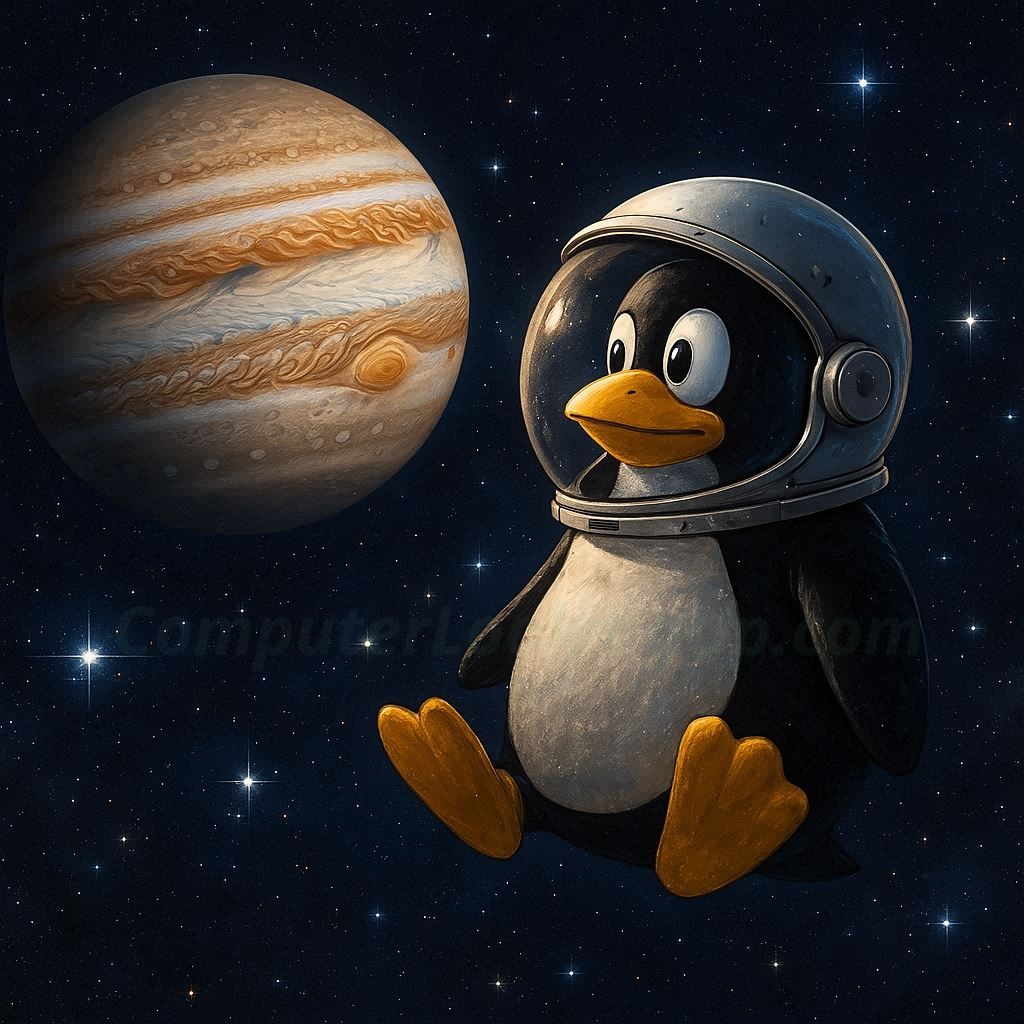
Over a stretch of about two months in the Summer, I created what I consider to be fun and playful desktop wallpaper images for my Fedora environment. It started with a single idea for a single image – insert Tux the Linux mascot into an image of space. My dual-boot system has my Windows install named “Monolith Moon” and the Fedora side named “Monolith Jupiter”, and it is this latter that inspired me to create my first desktop wallpaper starring Tux the penguin. As you shall see, in this and subsequent articles, my idea spawned over a dozen Linux Tux-inspired wallpapers now rotating on my desktop.

My first set of images to share are around the original theme of space. You will discover later the different direction I branched into for subsequent AI-generated wallpapers. In pseudo-open source spirit inspired by Linux, I am posting and providing these, for your use if you like them, or perhaps to inspire your own ideas for your own customized wallpapers.

I used Microsoft’s Copilot to generate all of my wallpapers. It’s hard to emphasize the amount of trial and error that went into every image, to get each just as I had imagined them, or at least as close as I felt reasonably possible to my vision for each. Sometimes, Copilot would get things completely wrong even though I felt the instruction clear. And when the prompt would go on for too long, most times Copilot’s image generator simply gave up and either ignored my adjustment requests or provided a result completely off-base from my request.

The first two images were done before I formally deemed to size them for wallpaper, and instead I use these for browser backgrounds, but are entirely suitable for the desktop as well.

My first image of Tux and the planet Jupiter:

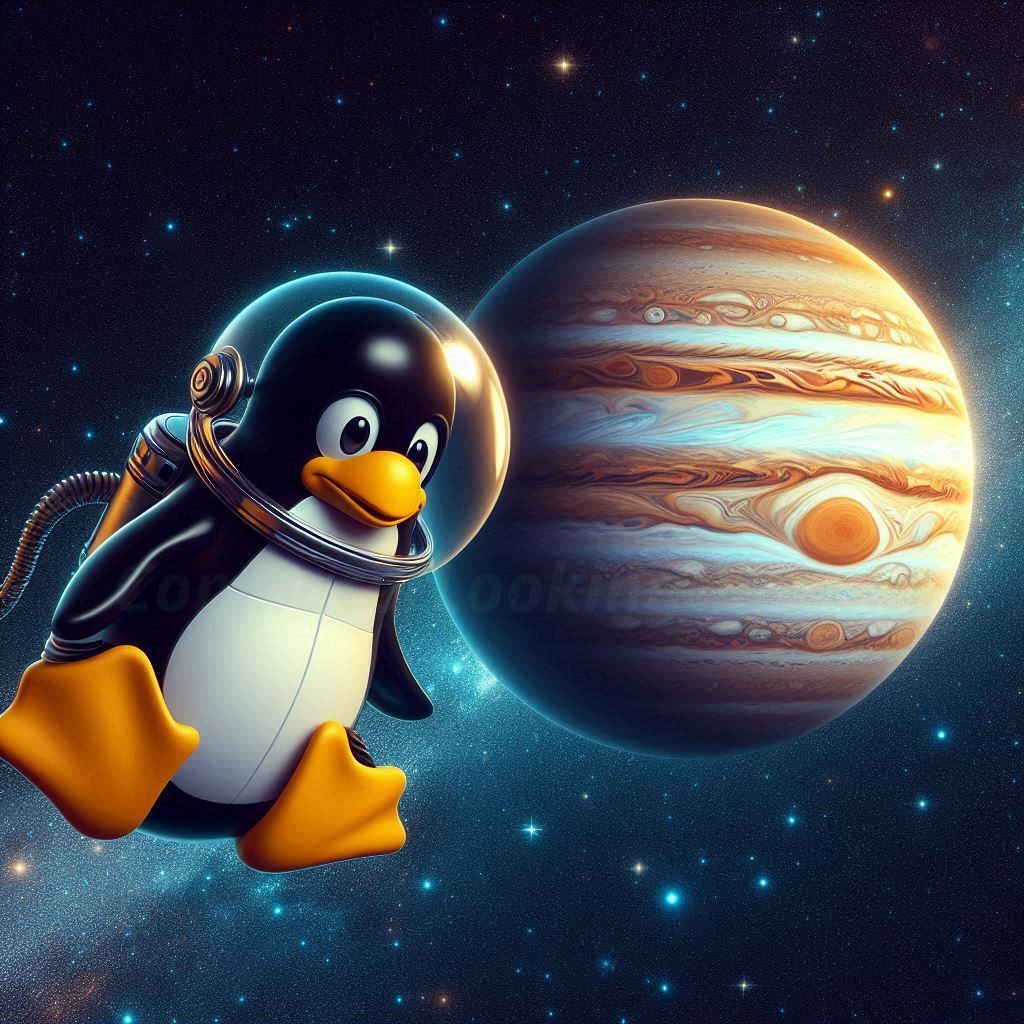
Tux and Jupiter, part two:

Third and final image of Tux exploring the Jovian system, in his Jestons-inspired space car complete with Fedora hood ornament:


Tux exploring the planet Mars while searching for one of NASA’s rovers. Did Tux draw the Fedora “f” in the Martian sands, or was this left by someone else?


My final Tux space image, this time with our favorite Linux penguin exploring the Moon. This one took the longest to get just right, with the rover, Eagle-type lander, Earth in the lunar sky, Fedora flag, and Tux in his space helmet.


This completes my set of Linux space wallpapers. More wallpapers, featuring even more fantastical adventures with Tux, will be posted soon!

Like this:

Like Loading…

Related


Discover more from Computer Looking Up

Subscribe to get the latest posts sent to your email.

Tags: ComputersFedoraGenerative AIJupiterLinuxMarsMoon
Previous Post

Rethinking How We Visualize Generative AI

Next Post

The True Reason of Advent, Part II

Paul

Paul

I am the founder and creative director of Computer Looking Up. I have been fascinated by space since childhood. My interest in technology also runs deep, rooted in fond memories of the CRT-anchored desktops my father tinkered with in the early 1980s. Professionally, I have spent over 30 years immersed in the technology sector, serving in capacities ranging from programming and IT to project management. Outside of work, my passions lie in astrophotography, astronomy, and philosophy. Through ComputerLookingUp.com, I explore these interests and aim to build a community where we can share insights—I hope you will join the conversation.

Next Post
The True Reason of Advent, Part II

The True Reason of Advent, Part II

Leave a ReplyCancel reply

This site uses Akismet to reduce spam. Learn how your comment data is processed.

POPULAR POSTS

  • Simple Fix for Asus ZenWiFi "Flashing Blue Light" Problem
    Simple Fix for Asus ZenWiFi "Flashing Blue Light" Problem
  • The True Reason of Advent, and Christmas
    The True Reason of Advent, and Christmas
  • How to Remove "Ask Copilot" Button from Windows 11 Search
    How to Remove "Ask Copilot" Button from Windows 11 Search
  • New Jupiter Options
    New Jupiter Options
  • When Franklin Almost Met Newton
    When Franklin Almost Met Newton
  • Early Sunset, July 2020
    Early Sunset, July 2020
  • First Moon with iPhone 14 Pro
    First Moon with iPhone 14 Pro
  • Turning External USB Drives On and Off for Synology Hyper Backup
    Turning External USB Drives On and Off for Synology Hyper Backup
  • My Hunt for Pluto, Part II: The False Star
    My Hunt for Pluto, Part II: The False Star
  • Someone Had to Blab to the World About AI and Now We All Pay the Price
    Someone Had to Blab to the World About AI and Now We All Pay the Price

RECENT COMMENTS

  • Ggreybeard on Tweaking Post-Processing
  • Paul on Autoguiding Towards Jupiter, April 26, 2026
  • Paul on Autoguiding Towards Jupiter, April 26, 2026
  • Ggreybeard on Autoguiding Towards Jupiter, April 26, 2026
  • Paul on Jupiter and the Galilean Moons, March 2026

EXPLORE TAGS

AI Generated Asterisms Blogging Comets Constellations DIY Dobsonian DSLR Eclipses Galilean Moons General Photography Generative AI Home Improvement Home Network ISS Jupiter Maksutov-Cassegrain Mars Mercury Meteors Moon NAS Nature Photography Philosophy Pluto Politics Religion Reviews Saturn Schmidt-Cassegrain Sci-Fi and Fantasy Science Sketching Smartphone Stars Streaming Sun Synology Telescope Venus Video Games Weather WiFi Windows 11 WordPress
  • Home
  • Welcome
  • Categories
  • In the Sky
  • AI Policy
  • Archives
CLEAR SKIES / CLEAN SHUTDOWNS

© 2026 Computer Looking Up

No Result
View All Result
  • Home
  • Welcome
  • Categories
    • Astronomy & Astrophotography
      • Deep Sky Objects
      • Equipment & Processing
      • Solar System
      • Space Exploration
    • Technology How-To
      • Apple & iPhone & Mac
      • Artificial Intelligence
      • Linux & Open Source
      • Networking & Hardware
      • Windows & Microsoft
    • Life & Leisure
      • Dispatches
      • Hobbies & Interests
      • Reflections
    • Rings of Envy
  • In the Sky
  • AI Policy
  • Archives

© 2026 Computer Looking Up

%d